正文摘要:
《SnapTube YouTube下載神器》核心主題 快速閱讀精華
🚀 下載神器亮點搶先看:
一鍵下載 YouTube 影片與音樂,操作超簡單! 支援多種畫質 (360P到1080P) 與 MP3 格式轉換。 直裝VIP高級版,解鎖付費功能,無廣告幹擾。 可透過關鍵字搜尋或分享功能快速下載。
.article-toc { border: 1px solid #ddd; padding: 15px; background: #f9f9f9; border-radius: 6px; margin: 20px 0; width: 90%;}.article-toc br { display: none;}.toc-title { /* --- 以下是合併進來的 H2 樣式 --- */ font-size: 1.25em; /* 125% */ border-left: 5px solid #2A98DA; border-radius: 2px; padding: 5px 0px 5px 10px; font-weight: bold; margin: 0 0 15px 0; /* 調整了 margin,只留下方 15px */ color: #333; line-height: 1.5; background-color: #f8f8f8; /* --- 樣式合併結束 --- */}.toc-list { list-style: none; padding-left: 0;}.toc-list li { margin: 8px 0;}.toc-list a { color: #2A98DA; text-decoration: none;}.toc-list a:hover { text-decoration: underline;}.back-to-top { display: block; margin-top: 10px; font-size: 0.9em; color: #666;}本文章目錄
規格化資訊與軟體介紹document.currentScript.previousElementSibling.href = location.href.split('#')[0] + '#info';
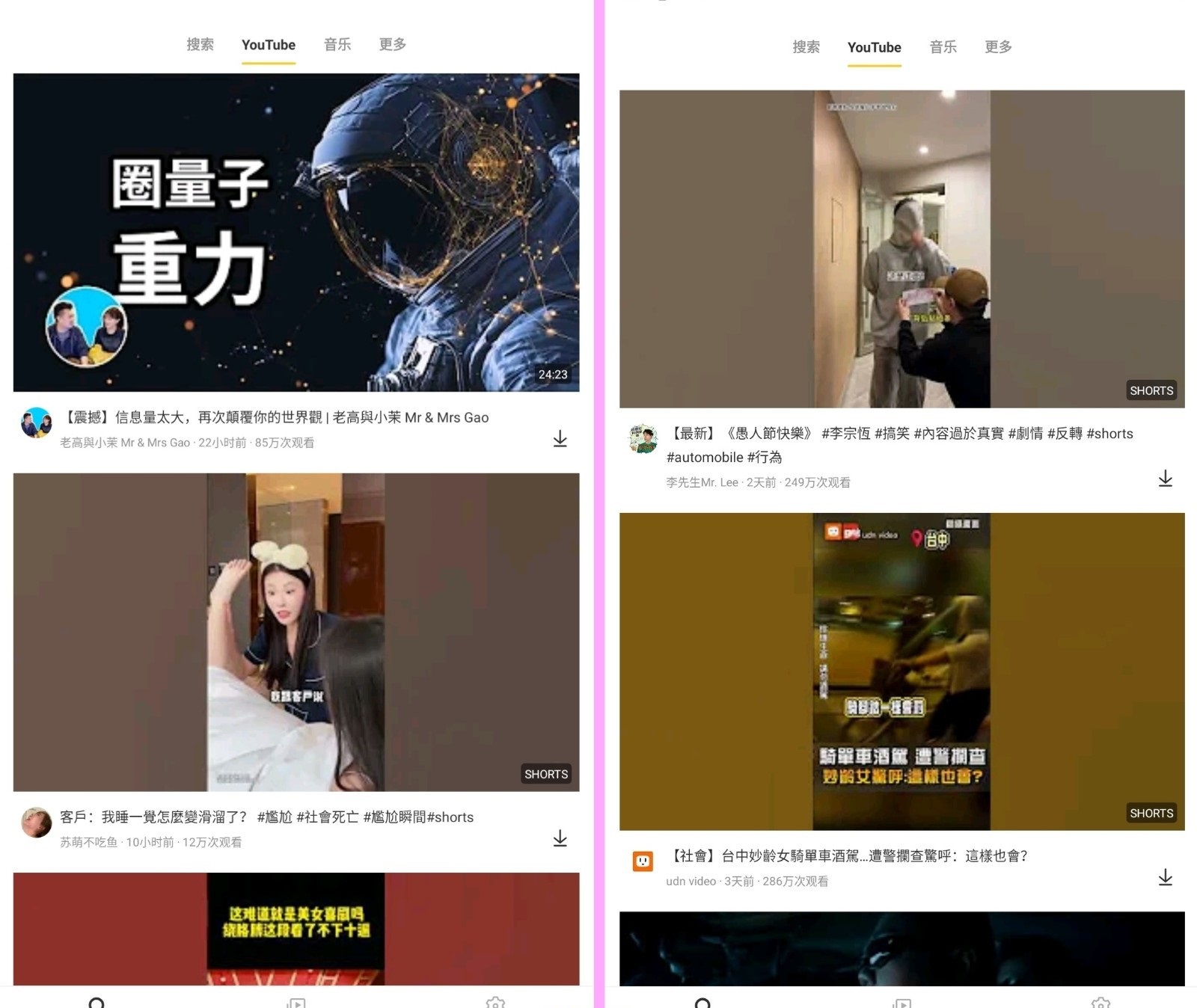
軟體截圖document.currentScript.previousElementSibling.href = location.href.split('#')[0] + '#screenshot';
附件下載 🔽document.currentScript.previousElementSibling.href = location.href.split('#')[0] + '#download';
【語 言】:中文 (支援全多國語言)
【軟體名稱】:SnapTube YouTube下載神器
【版本資訊】:v7.52.1.75272201
【軟體大小】:49.6MB
【更新日期】:2026/01/07
【使用權限】:直裝VIP高級版 (解鎖版)
【系統支持】:Android 5.0 及以上版本
【軟體介紹】:
SnapTube Pro 是一款專為 Android 裝置設計的 YouTube 影片與音樂下載神器!它的核心功能就是讓你輕鬆一鍵下載 YouTube 上的影片或直接轉存為 MP3 音樂檔案,完全不需要複雜的轉檔步驟或安裝額外外掛,超級方便。
這款 App 支援下載多種整理度的 MP4 影片,從基本的 360P、480P,到高畫質的 720P 和 1080P 都能選擇。如果你只想聽音樂,它也能直接將影片轉換成 MP3 檔案下載,不僅節省手機儲存空間,也能讓你更快地收藏喜愛的歌曲。
使用上非常直覺,你可以直接在 SnapTube 內用關鍵字搜尋想下載的影片。更酷的是,當你在官方 YouTube App 看到喜歡的影片時,直接使用「分享」功能傳送到 SnapTube,它就能馬上幫你下載到手機裡,步驟超簡單!
下載管理功能也很完善,支援暫停、取消或恢復下載任務,也能輕鬆刪除已經不需要的檔案。介面設計乾淨,讓你專注於尋找和欣賞內容,最重要的是,這個直裝VIP高級版已經移除了所有惱人的廣告,享受無幹擾的下載體驗。
【軟體截圖】:
【附件下載】:
SnapTube-VIP-v7.52.1.75272201_build_75272201.apk



 組圖開啟中,請稍候......
 收藏
收藏
