正文摘要:
《動物森友會》衣服漸層繪圖 快速閱讀精華
🚀 核心技巧: 掌握漸層色彩過渡邏輯,選擇相近彩度或循序漸進的顏色。🎨 選色祕訣:
從淺紫藍 > 淺紫 > 粉紫 > 粉 > 粉橘 > 橘黃 > 黃,依序排列營造自然漸變。若要粉藍到粉紅,中間色需為兩者混合色(如粉紫、淺紫)。
🛠️ 繪圖工具: 善用圓形工具繪製基礎輪廓,大幅提升效率。💡 進階運用:
先用單色繪製圖案,再局部填入漸層。在漸層背景上搭配白色圖案,能創造出夢幻浪漫的風格。
✅ 檢查重點: 隨時檢視漸層接縫處是否自然和諧,避免突兀感。
.article-toc { border: 1px solid #ddd; padding: 15px; background: #f9f9f9; border-radius: 6px; margin: 20px 0; width: 90%;}.article-toc br { display: none;}.toc-title { /* --- 以下是合併進來的 H2 樣式 --- */ font-size: 1.25em; /* 125% */ border-left: 5px solid #2A98DA; border-radius: 2px; padding: 5px 0px 5px 10px; font-weight: bold; margin: 0 0 15px 0; /* 調整了 margin,只留下方 15px */ color: #333; line-height: 1.5; background-color: #f8f8f8; /* --- 樣式合併結束 --- */}.toc-list { list-style: none; padding-left: 0;}.toc-list li { margin: 8px 0;}.toc-list a { color: #2A98DA; text-decoration: none;}.toc-list a:hover { text-decoration: underline;}.back-to-top { display: block; margin-top: 10px; font-size: 0.9em; color: #666;}本文章目錄
前言:為何要學習漸層設計?document.currentScript.previousElementSibling.href = location.href.split('#')[0] + '#intro';
漸層繪圖的核心概念:色彩選擇與過渡document.currentScript.previousElementSibling.href = location.href.split('#')[0] + '#core_concept';
- 色彩搭配邏輯:如何選對漸層色?document.currentScript.previousElementSibling.href = location.href.split('#')[0] + '#color_logic';
《動物森友會》衣服漸層設計:實戰繪圖教學document.currentScript.previousElementSibling.href = location.href.split('#')[0] + '#tutorial';
- 步驟一:畫布準備與底色設定document.currentScript.previousElementSibling.href = location.href.split('#')[0] + '#step1_prepare';
- 步驟二:繪製基礎圖案輪廓document.currentScript.previousElementSibling.href = location.href.split('#')[0] + '#step2_pattern';
- 步驟三:巧妙填充漸層色彩document.currentScript.previousElementSibling.href = location.href.split('#')[0] + '#step3_gradient_fill';
- 步驟四:運用白色創造夢幻感document.currentScript.previousElementSibling.href = location.href.split('#')[0] + '#step4_white_effect';
- 步驟五:細部調整與最終完成document.currentScript.previousElementSibling.href = location.href.split('#')[0] + '#step5_adjust';
實用色彩參考:漸層色板整理document.currentScript.previousElementSibling.href = location.href.split('#')[0] + '#color_reference';
《動物森友會》衣服漸層設計 重點回顧document.currentScript.previousElementSibling.href = location.href.split('#')[0] + '#conclusion';
《動物森友會》衣服漸層設計 常見問題Q&Adocument.currentScript.previousElementSibling.href = location.href.split('#')[0] + '#faq';
前言:為何要學習漸層設計?
在《動物森友會》中,自訂服裝是展現個人風格的絕佳方式。然而,要讓設計更具層次感與視覺美學,漸層效果絕對是不可或缺的進階技巧。本攻略將帶您深入瞭解如何在遊戲中繪製出專業級的漸層服飾,讓您的島民成為時尚焦點!
漸層繪圖的核心概念:色彩選擇與過渡
要創造出自然柔和的漸層效果,最關鍵的就是色彩的選擇與過渡邏輯。我們發現許多玩家在嘗試漸層時,常會遇到顏色銜接不自然的問題,這是因為沒有掌握好色彩學的基礎原則。
色彩搭配邏輯:如何選對漸層色?
我們的繪圖專家建議,漸層色彩的選擇應該遵循「鄰近色漸變」或「彩度遞增遞減」的原則。舉例來說,如果您想從粉藍色過渡到粉紅色,那麼中間的顏色就應該選擇這兩種顏色的混合色,例如粉紫色或淺紫色,而非直接跳到不相關的顏色。透過多個微小的顏色變化,就能創造出平滑且具層次感的漸變。
《動物森友會》衣服漸層設計:實戰繪圖教學
接下來,我們將以一個樹的圖案為範例,一步步帶您完成漸層效果的繪製。
步驟一:畫布準備與底色設定
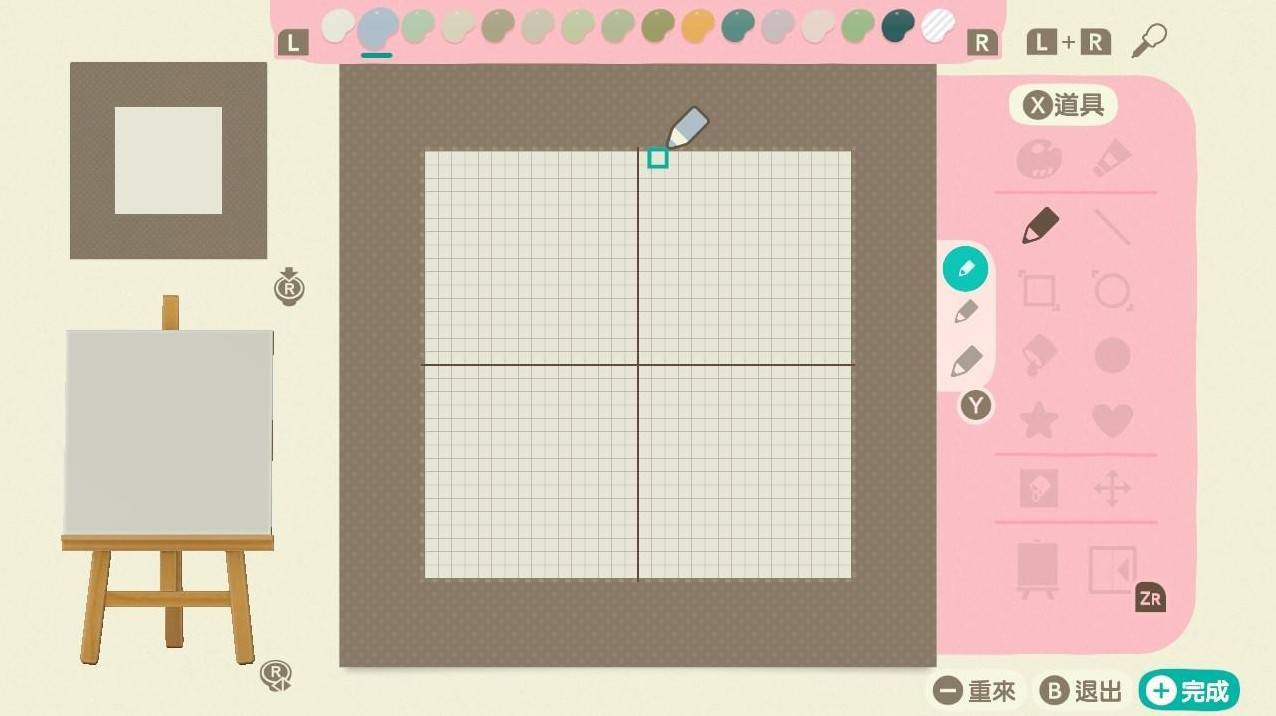
首先,請打開您的設計介面,並使用「全部填滿」功能將畫布清空。這能確保您有一個乾淨的起始點。
《動物森友會》衣服漸層設計 重點回顧
🔑 漸層核心: 選擇相近色或依序變化的彩度,確保顏色過渡自然。💡 靈活運用: 先勾勒圖案再填色,或利用白色創造對比與夢幻感。🔄 持續優化: 邊畫邊調整,直到視覺效果和諧無突兀。
以下廣告滑動後還有帖子內容var custom_call_MIR = function (params) {if ( params === null || params.hasAd === false ) {var divRowSide;for (let index = 0; index < ONEADs.length; index++) {if (ONEADs[index].pub.player_mode === "mobile-inread") {divRowSide = ONEADs[index].pub.slotobj;}}var ins = document.createElement('ins');ins.className = 'clickforceads';ins.setAttribute('style', 'display:inline-block;');ins.setAttribute('data-ad-zone', '18264');divRowSide.appendChild(ins);var js = document.createElement('script');js.async = true;js.type = 'text/javascript';js.setAttribute('src', '//cdn.holmesmind.com/js/init.js');js.onload = function(){console.log('[ONEAD MIR] ClickForce Loaded');};divRowSide.appendChild(js);}};var _ONEAD = {};_ONEAD.pub = {};_ONEAD.pub.slotobj = document.getElementById("oneadMIRDFPTag");_ONEAD.pub.slots = ["div-onead-ad"];_ONEAD.pub.uid = "1000509";_ONEAD.pub.external_url = "https://onead.onevision.com.tw/";_ONEAD.pub.scopes = ["spotbuy", "speed"];_ONEAD.pub.player_mode_div = "div-onead-ad";_ONEAD.pub.player_mode = "mobile-inread";_ONEAD.pub.queryAdCallback = custom_call_MIR;var ONEAD_pubs = ONEAD_pubs || [];ONEAD_pubs.push(_ONEAD);var truvidScript = document.createElement('script'); truvidScript.async = true; truvidScript.setAttribute('data-cfasync','false'); truvidScript.type = 'text/javascript'; truvidScript.src = '//stg.truvidplayer.com/index.php?sub_user_id=597&widget_id=3309&playlist_id=2381&m=a&cb=' + (Math.random() * 10000000000000000); var currentScript = document.currentScript || document.scripts[document.scripts.length - 1]; currentScript.parentNode.insertBefore(truvidScript, currentScript.nextSibling);
《動物森友會》衣服漸層設計 常見問題Q&A
Q:我該如何選擇漸層的起始色和結束色?
A:我們建議從您喜歡的顏色或想表達的主題出發。然後思考這兩種顏色之間有哪些自然過渡的顏色。例如,藍色和綠色之間可以有淺藍綠、湖水綠等。
Q:如果我選的顏色過渡不自然怎麼辦?
A:這很常見!我們的經驗是,多加入幾個中間色來平滑過渡。例如,如果您感覺粉色到黃色太跳,可以嘗試加入粉橘色作為緩衝。同時,調整每個顏色的彩度與亮度也能幫助融合。
Q:畫漸層時,一定要用很多種顏色嗎?
A:不一定。漸層的精髓在於「過渡」,即使是兩種顏色之間,只要能找到一兩個中間色進行平滑銜接,也能產生自然的漸層效果。但顏色越多,通常能呈現出更豐富細膩的變化。
Q:在小格子上畫漸層會不會很難?
A:確實需要一些耐心。在《動物森友會》的像素畫布上,每個像素都代表一個顏色。我們的建議是先從較大的區域開始練習,並善用「填滿工具」來快速鋪色,然後再手動微調邊緣的像素。
Q:除了背景,圖案本身也能畫漸層嗎?
A:當然可以!就像我們教學中樹的範例一樣,您可以選擇在圖案的特定區域或整體應用漸層,這會讓您的設計更具立體感和藝術性。



 組圖開啟中,請稍候......
 收藏
收藏
