正文摘要:
replyreload += ',' + 2462673;《RisohEditor》核心主題 快速閱讀精華
🚀 輕量高效的資源編輯:
專為 Win32 資源檔案設計,支援 EXE、DLL 等格式編輯 多語言介面支援,繁體中文使用無障礙 免安裝便攜設計,隨身攜帶即開即用 程式設計師與一般使用者都能輕鬆上手
.article-toc { border: 1px solid #ddd; padding: 15px; background: #f9f9f9; border-radius: 6px; margin: 20px 0; width: 90%;}.article-toc br { display: none;}.toc-title { /* --- 以下是合併進來的 H2 樣式 --- */ font-size: 1.25em; /* 125% */ border-left: 5px solid #2A98DA; border-radius: 2px; padding: 5px 0px 5px 10px; font-weight: bold; margin: 0 0 15px 0; /* 調整了 margin,只留下方 15px */ color: #333; line-height: 1.5; background-color: #f8f8f8; /* --- 樣式合併結束 --- */}.toc-list { list-style: none; padding-left: 0;}.toc-list li { margin: 8px 0;}.toc-list a { color: #2A98DA; text-decoration: none;}.toc-list a:hover { text-decoration: underline;}.back-to-top { display: block; margin-top: 10px; font-size: 0.9em; color: #666;}本文章目錄
軟體規格與介紹document.currentScript.previousElementSibling.href = location.href.split('#')[0] + '#info';
軟體截圖展示document.currentScript.previousElementSibling.href = location.href.split('#')[0] + '#screenshot';
版本更新紀錄document.currentScript.previousElementSibling.href = location.href.split('#')[0] + '#changelog';
常見問題Q&Adocument.currentScript.previousElementSibling.href = location.href.split('#')[0] + '#faq';
附件下載點 🔽document.currentScript.previousElementSibling.href = location.href.split('#')[0] + '#download';
軟體規格與介紹
【語 言】:多國語言(含繁體中文)
【軟體名稱】:RisohEditor
【版本資訊】:v6.0.0
【軟體大小】:約 5MB(輕量便攜)
【更新日期】:2026-05-21
【使用權限】:免費軟體
【系統支持】:Windows XP / Vista / 7 / 8 / 10 / 11
【軟體介紹】:
RisohEditor 是一款專為 Windows 平臺打造的 Win32 資源編輯器,採用輕量級設計理念,讓程式設計師與進階使用者能夠快速編輯各類執行檔的資源內容。無論是要修改應用程式的圖示、字串資源,或是調整對話框版面配置,這套工具都能提供直覺的操作介面。
軟體具備完整的 Unicode 支援,可正確顯示與編輯多國語言內容。便攜版設計意味著無需執行安裝程序,解壓縮後即可直接執行,特別適合需要在多臺電腦間工作的開發者。內建的多語言介面切換功能,讓繁體中文使用者能夠以熟悉的語言環境進行操作。
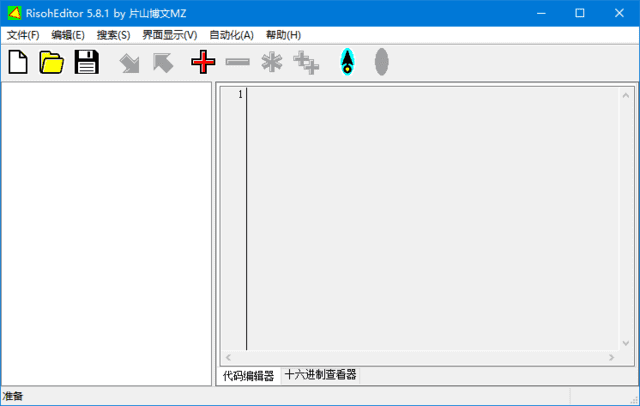
【軟體截圖】:
👉 GM後台版 遊戲 推薦 ⬇️⬇️⬇️ 快速玩各種二次元動漫手遊app
版本更新紀錄
v6.0.0(2026-05-21)
修正多項 UI/UX 介面小錯誤 調整 bUseMSMSGTABLE 為預設設定值
官方版本歷史:
https://gitdub.com/katahiromz/RisohEditor/releases/
【附件下載】:
所有站內附件皆會附上安全掃描報告請會員查看純淨度百分比後判斷使用(adsbygoogle = window.adsbygoogle || []).push({});相關檔案須知:取得檔案前,請先詳細閱讀文章內容避免不必要錯誤與誤會發生。也可多參考文章討論樓層內容了解附件檔案相關討論資訊。
【此文章部分內容隱藏中】 解除隱藏說明教學點擊下方 繼續閱讀文章 後請仔細觀看文章內容 並依照指示進行下一步最後完成解除隱藏後系統會回到此文章自動顯示隱藏內容~繼續閱讀
replyreload += ',' + 2462673;



 組圖開啟中,請稍候......
 收藏
收藏
