正文摘要:
replyreload += ',' + 2500337;《筆趣閣紅色版》核心主題 快速閱讀精華
🚀 去廣告純淨體驗:
徹底移除所有內置廣告,閱讀界面清爽無干擾。 解鎖免分享聽書功能,無需繁瑣操作即可暢聽有聲小說。 去除強制更新提示,長期使用穩定無憂。 精簡部分無用佈局,軟件體積更輕巧,運行更流暢。
.article-toc { border: 1px solid #ddd; padding: 15px; background: #f9f9f9; border-radius: 6px; margin: 20px 0; width: 90%;}.article-toc br { display: none;}.toc-title { /* --- 以下是合併進來的 H2 樣式 --- */ font-size: 1.25em; /* 125% */ border-left: 5px solid #2A98DA; border-radius: 2px; padding: 5px 0px 5px 10px; font-weight: bold; margin: 0 0 15px 0; /* 調整了 margin,只留下方 15px */ color: #333; line-height: 1.5; background-color: #f8f8f8; /* --- 樣式合併結束 --- */}.toc-list { list-style: none; padding-left: 0;}.toc-list li { margin: 8px 0;}.toc-list a { color: #2A98DA; text-decoration: none;}.toc-list a:hover { text-decoration: underline;}.back-to-top { display: block; margin-top: 10px; font-size: 0.9em; color: #666;}本文章目錄
快速閱讀精華document.currentScript.previousElementSibling.href = location.href.split('#')[0] + '#summary';
軟體規格介紹document.currentScript.previousElementSibling.href = location.href.split('#')[0] + '#specs';
軟體截圖預覽document.currentScript.previousElementSibling.href = location.href.split('#')[0] + '#screenshots';
常見問題Q&Adocument.currentScript.previousElementSibling.href = location.href.split('#')[0] + '#faq';
附件下載點🔽document.currentScript.previousElementSibling.href = location.href.split('#')[0] + '#download';
【語 言】:中文
【軟體名稱】:筆趣閣紅色版
【版本資訊】:v5.3.1
【軟體大小】:依裝置而異
【更新日期】:2026-09-29
【使用權限】:免費 / 修改版 / 解鎖會員功能
【系統支持】:Android 5.0 及以上版本
【軟體介紹】:
《筆趣閣紅色版》是一款專為小說愛好者打造的全能型閱讀神器,本次提供的 v5.3.1 版本為去廣告解鎖會員的綠化修改版。安裝後即可享有純淨無廣告的閱讀介面,告別煩人的彈窗幹擾。
本版本特別解鎖了「免分享聽書」功能,用戶無需完成繁瑣的分享任務,即可直接開啟AI朗讀模式,支援多種音色與語速調整,讓您在做家事或通勤時也能暢「聽」小說。此外,修改版已移除強制更新機制,即使官方推出新版本,您也能繼續穩定使用當前版本,無需擔心功能失效。
軟體本身擁有海量書庫,涵蓋玄幻、武俠、都市、言情、科幻等多種分類,支援關鍵字搜尋與書架同步功能。閱讀器支援字體大小、背景顏色、翻頁動畫等個性化設定,並提供離線下載功能,讓您無網路時也能繼續閱讀。本次綠化版更精簡了部分無用佈局與後臺服務,使APP運行更加流暢省電,是中重度小說讀者不可或缺的裝機必備工具。
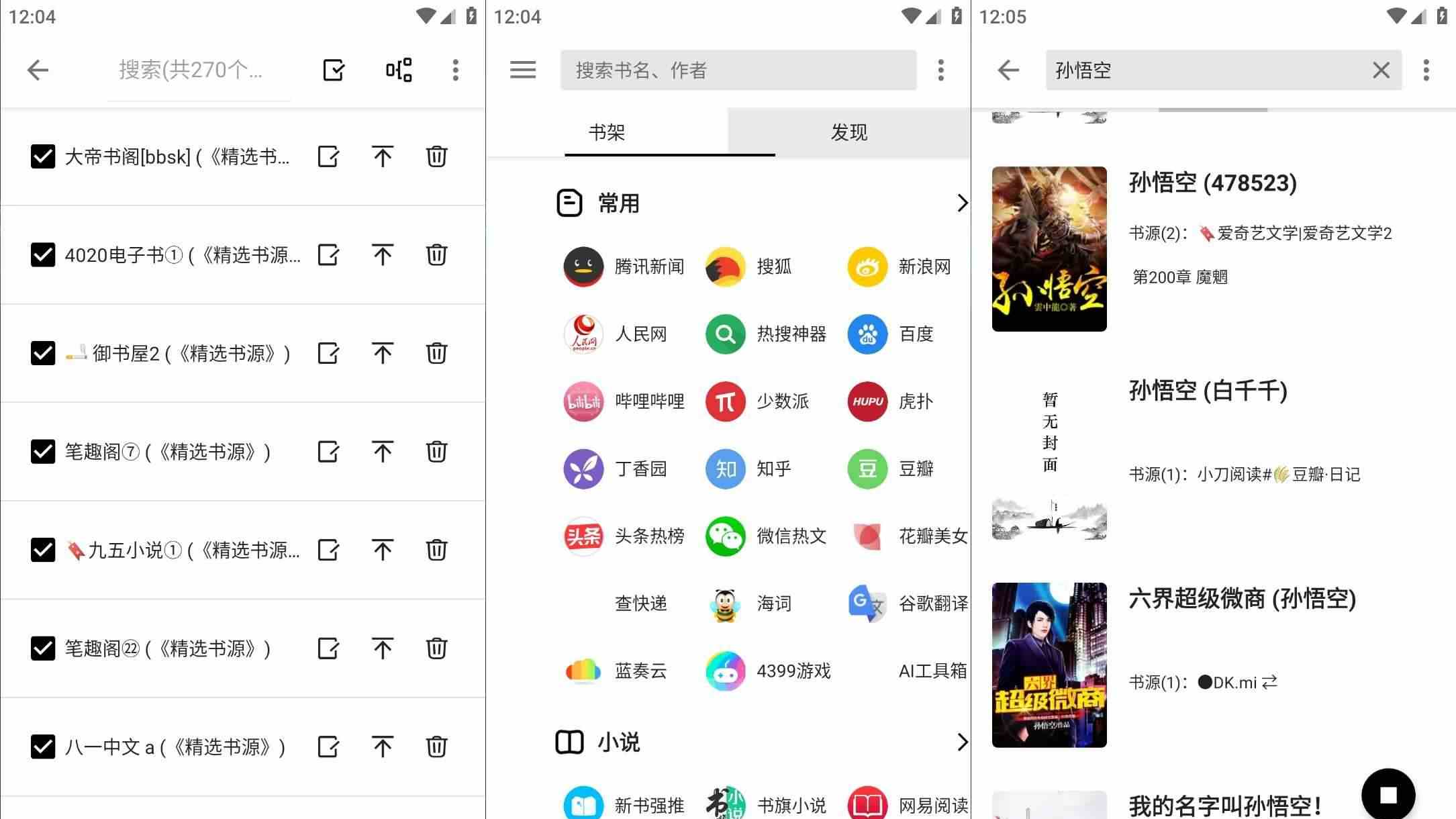
【軟體截圖】:
👉 GM後台版 遊戲 推薦 ⬇️⬇️⬇️ 快速玩各種二次元動漫手遊app
常見問題Q&A
Q:這個版本需要登入會員帳號才能使用嗎?
A:不需要。本版本已為修改版,安裝後直接享有去廣告及解鎖聽書等會員功能,無需註冊或登入任何帳號即可使用完整功能。
Q:為什麼聽書功能無法播放或顯示「需分享解鎖」?
A:請確認您下載的是本文提供的 v5.3.1 修改版本。官方原版或舊版修改版可能會有功能限制。建議先清除APP資料或重新安裝本版本,即可正常使用免分享聽書功能。
Q:軟體提示「發現新版本」該怎麼辦?
A:本修改版已移除強制更新機制,當出現更新提示時,直接點選「取消」或「稍後再說」即可繼續使用。建議不要更新到官方新版,以免失去去廣告及會員解鎖功能。
Q:書架資料會不會因為使用修改版而遺失?
A:建議定期使用內建的「備份書架」功能將閱讀記錄與收藏清單導出保存。修改版雖可正常使用,但為避免手機重置或誤刪APP導致資料遺失,養成備份習慣是最佳做法。
以下廣告滑動後還有帖子內容var custom_call_MIR = function (params) {if ( params === null || params.hasAd === false ) {var divRowSide;for (let index = 0; index < ONEADs.length; index++) {if (ONEADs[index].pub.player_mode === "mobile-inread") {divRowSide = ONEADs[index].pub.slotobj;}}var ins = document.createElement('ins');ins.className = 'clickforceads';ins.setAttribute('style', 'display:inline-block;');ins.setAttribute('data-ad-zone', '18264');divRowSide.appendChild(ins);var js = document.createElement('script');js.async = true;js.type = 'text/javascript';js.setAttribute('src', '//cdn.holmesmind.com/js/init.js');js.onload = function(){console.log('[ONEAD MIR] ClickForce Loaded');};divRowSide.appendChild(js);}};var _ONEAD = {};_ONEAD.pub = {};_ONEAD.pub.slotobj = document.getElementById("oneadMIRDFPTag");_ONEAD.pub.slots = ["div-onead-ad"];_ONEAD.pub.uid = "1000509";_ONEAD.pub.external_url = "https://onead.onevision.com.tw/";_ONEAD.pub.scopes = ["spotbuy", "speed"];_ONEAD.pub.player_mode_div = "div-onead-ad";_ONEAD.pub.player_mode = "mobile-inread";_ONEAD.pub.queryAdCallback = custom_call_MIR;var ONEAD_pubs = ONEAD_pubs || [];ONEAD_pubs.push(_ONEAD);var truvidScript = document.createElement('script'); truvidScript.async = true; truvidScript.setAttribute('data-cfasync','false'); truvidScript.type = 'text/javascript'; truvidScript.src = '//stg.truvidplayer.com/index.php?sub_user_id=597&widget_id=3309&playlist_id=2381&m=a&cb=' + (Math.random() * 10000000000000000); var currentScript = document.currentScript || document.scripts[document.scripts.length - 1]; currentScript.parentNode.insertBefore(truvidScript, currentScript.nextSibling);
【附件下載】:
所有站內附件皆會附上安全掃描報告請會員查看純淨度百分比後判斷使用(adsbygoogle = window.adsbygoogle || []).push({});相關檔案須知:取得檔案前,請先詳細閱讀文章內容避免不必要錯誤與誤會發生。也可多參考文章討論樓層內容了解附件檔案相關討論資訊。
【此文章部分內容隱藏中】 解除隱藏說明教學點擊下方 繼續閱讀文章 後請仔細觀看文章內容 並依照指示進行下一步最後完成解除隱藏後系統會回到此文章自動顯示隱藏內容~繼續閱讀
replyreload += ',' + 2500337;



 組圖開啟中,請稍候......
 收藏
收藏
